Wireless Gaming Receiver for Xbox 360 Controllers — USB Adapter for Windows PC, Connects Up to Four Wireless Controllers
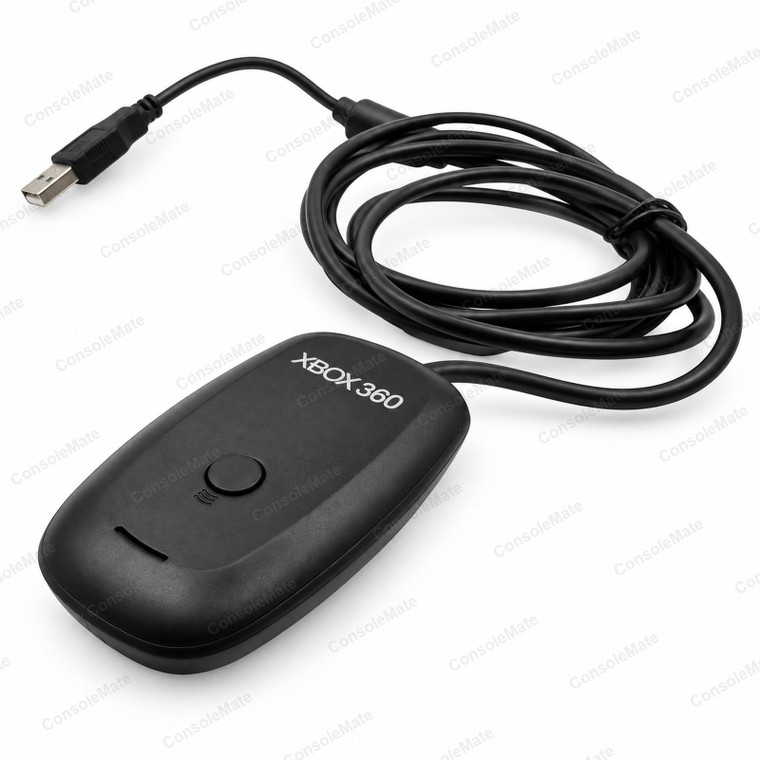
A USB receiver for Xbox 360 wireless controllers, so the pads you already own can be used on a Windows PC.
Check compatibility
Compatibility — please read before you buy. Fits: Wireless controllers for Xbox 360, of any make, paired to a Windows PC or laptop over 2.4 GHz.
Please check before you buy. This receiver is for wireless controllers only. A wired controller for Xbox 360 does not need it — that one plugs straight into a USB port on its own. It does not work with controllers for Xbox One, Xbox Series X or Series S, which use a different wireless system. It does not connect a controller to a console — the receiver is for a PC, and an Xbox 360 console already has one built in. And it is for Windows PCs: there is no supported macOS driver, so we do not recommend it for a Mac.
Check these alternatives
Using a wired Xbox 360 controller with its USB tail missing instead? See our Xbox 360 USB breakaway cable. This is a wired-controller alternative, not a wireless adapter or a charging cable.
Choose only what your setup needs. Linked items are sold separately.
Key product details
- Connects — Up to four wireless controllers for Xbox 360, to a Windows PC
- Interface — USB-A plug, USB 2.0, no external power needed
- Wireless — The same 2.4 GHz link used for Xbox 360 consoles
- Colour — Black, with an inline ferrite bead moulded onto the lead
- Windows — Windows 7, 8, 8.1, 10 and 11, 32-bit and 64-bit
- Driver — Uses the driver for Xbox 360 receivers that is already built into Windows — nothing to download. A printed step-by-step card comes with every order.
- Sync — One-touch pairing button on the receiver, just like the console
About this item
It does the same job as the receiver built into the console: plug it into a spare USB port, press the pairing button, and up to four controllers for Xbox 360 connect at once — enough for couch co-op on the PC.
Because Windows already understands the gamepad standard used for Xbox 360, almost every PC game with controller support will pick yours up straight away, with the right button prompts and working analogue triggers. Steam, launchers and emulators all treat it as a standard pad for Xbox 360. The lead lets you place the receiver clear of the PC case for a better signal, and a ferrite bead is moulded onto the cable.
Setting it up on Windows, and why we include a printed card. Windows 10 and 11 already contain the driver for Xbox 360 receivers, so there is nothing to download. On many PCs it installs by itself the moment you plug the receiver in. On others it does not, and the receiver shows up in Device Manager as an Unknown device instead. Pointing Windows at the driver it already has takes about a minute. Right-click the device and choose Update driver, then Browse my computer, then Let me pick from a list, and untick Show compatible hardware if it appears. In the manufacturer column pick the entry for Microsoft. In the model column pick the driver for Xbox 360 Wireless Receiver for Windows. Accept the warning and it installs. That is the whole trick, and it is the step the cheap unbranded receivers leave you to find in a forum thread.
We print that procedure, the pairing steps and a short troubleshooting list on a card and send it with every order, so you are not hunting for it at 11pm. To pair, press the round button on the receiver, then the sync button on the controller — the ring of lights settles on one quadrant and you are connected.