AV to HDMI Converter | Composite Video, 720p/1080p, 30cm RCA Input Lead
Give older composite AV equipment a connection to your HDMI display.
Check compatibility
One-way composite AV to HDMI only; not HDMI to AV, component video or VGA.
What’s included
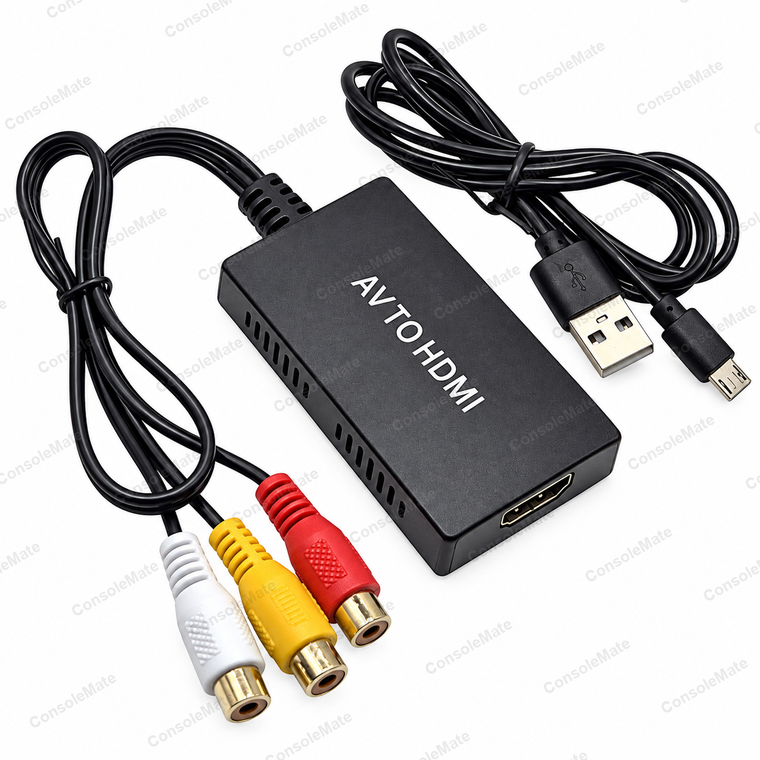
Included: one converter with attached RCA input lead and one USB power cable.
You’ll also need
HDMI cable, source-device AV lead and USB power adaptor are not included
An HDMI cable, source-device AV lead and USB power adaptor are not included.
Key product details
- 1 metre micro-USB power cable included – the same plug as a PS4 controller charging cable; longer 1.8 m and 3 m cables are available separately in our store
- Connect composite AV sources to an HDMI television, monitor or projector
- Three female RCA sockets on a 30cm attached input lead: yellow video, white/red stereo audio
- Side switch selects 720p or 1080p HDMI output; accepts PAL, NTSC and SECAM composite signals
- USB power cable included; requires a suitable 5 V, 1 A USB power source
About this item
Plug the yellow, white and red male plugs of your existing source-device AV lead into the matching female sockets on the converter.
The attached 30cm lead gives room to position the converter without extra RCA couplers.
Connect a separate HDMI cable from the converter to your television, monitor or projector. Use the supplied micro-USB power cable with a 5 V, 1 A USB power source, then select the HDMI input on your screen. Choose 720p or 1080p using the side switch.
Complete your setup
Need the cable from converter to TV? Add our 1.5 m HDMI cable. This converter-only listing does not include an HDMI cable.
Need a longer USB power lead than the supplied one? Choose our 1.8 m USB-A to micro-USB cable or 3 m USB-A to micro-USB cable. Match the micro-USB socket. These are optional replacements for the supplied short lead; use a suitable USB power source.
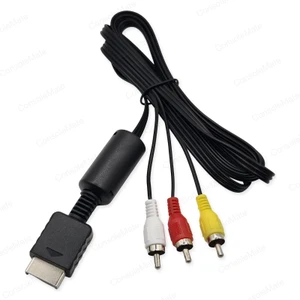
Missing a source AV lead? For PS1, PS2 or PS3, choose the PlayStation composite AV cable. The console-specific lead is not included with this converter.
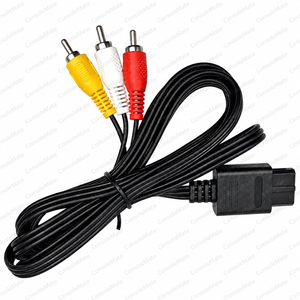
For N64, SNES or GameCube AV Multi Out, use the Nintendo composite AV cable. Check the console connector; it is different from the Wii connector.
For Wii, Wii U or Wii mini, use the Wii-family composite AV cable. Choose only the lead that matches your source console.
Choose only what your setup needs. Linked items are sold separately.
The converter carries picture and stereo sound from PAL, NTSC and SECAM composite sources. Upscaling changes the output format; it does not recreate detail missing from the original recording or game.
The converter does not output 4K.