HDMI Adapter for Nintendo Wii with 1.5m HDMI Cable - 3.5mm Audio Out
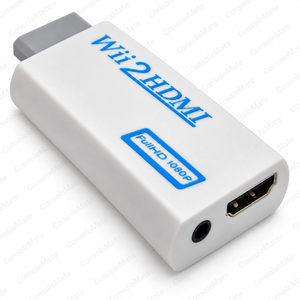
Use this adapter for Nintendo Wii to connect your console to a television, monitor or projector with an HDMI input.
Check compatibility
To set up, switch off the equipment, connect the adapter to the console AV Multi Out port, connect the HDMI cable to the display, then switch on and select the correct HDMI input. This is a direct adapter for Nintendo Wii; check the pictured connector before ordering.
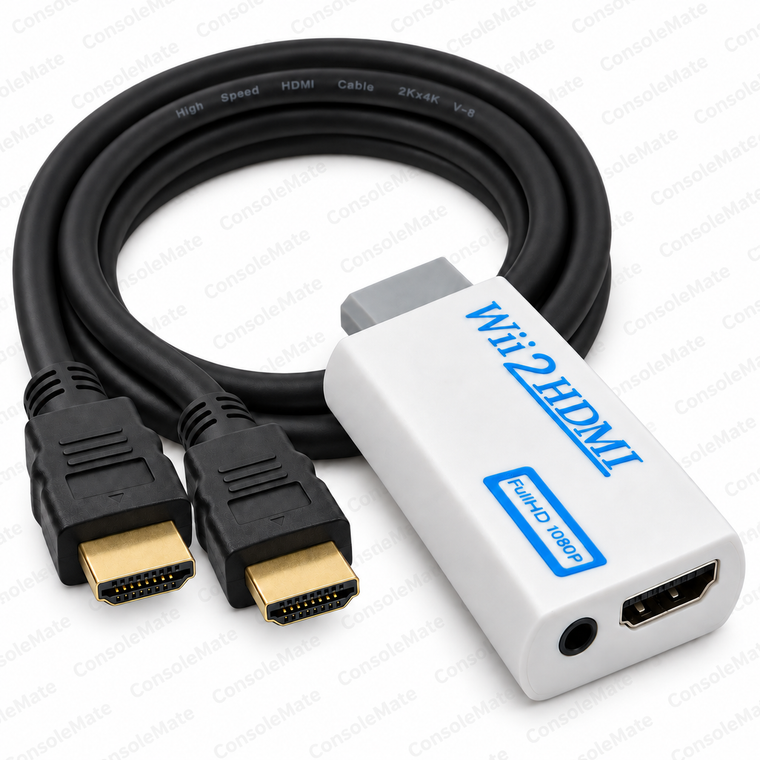
One direct HDMI adapter compatible with Nintendo Wii plus one 1.5m HDMI cable
What’s included
Included: one white HDMI adapter compatible with Nintendo Wii and one black 1.5m full-size HDMI male-to-male cable with gold-coloured connectors.
You’ll also need
Console, display and separate audio cable are not included.
Key product details
- Plugs directly into the AV Multi Out socket on the back of the compatible console
- HDMI carries picture and stereo sound; separate 3.5mm stereo audio output is optional
- Powered by the console port; no separate USB cable or mains power supply needed
- White FullHD 1080P model; compact body approximately 7.5cm x 3.4cm x 1.4cm
- An HDMI connection does not add detail to the original standard-definition game picture
About this item
It plugs directly into the console AV Multi Out socket, replacing the separate AV lead in this connection.
HDMI carries picture and stereo sound together. An optional 3.5mm stereo output can connect to powered speakers or another suitable audio input. The adapter takes power from the console port, so no separate power cable or mains adaptor is needed.
Complete your setup
Missing the console power supply? For an original Nintendo Wii, see our Wii AC power supply. This supply is not for Wii U.
Using the optional 3.5 mm analogue output with powered speakers? See our 1.2 m stereo aux cable. Your speakers need a matching analogue input; HDMI already carries audio.
Choose only what your setup needs. Linked items are sold separately.
This white adapter is marked FullHD 1080P and has no resolution-selection switch. The console uses standard-definition video: 576i, 480i or 480p depending on its region, game and display settings. An HDMI connection does not turn the original game image into native HD or restore detail absent from the source.
The HDMI lead connects the adapter to your display.